Does the model suit your lighting task?
Quntis monitor light bar 40 cm with RGB backlight and touch stands in this selection for the front desk area in front of a monitor. That is a narrower and more honest statement than a blanket “good” or “bad”. A lamp can be technically decent and still disappoint in the wrong place. That is why this review begins with the intended use, not with a score.
A monitor light bar, a clamp lamp and a classic desk lamp solve different problems. The monitor light bar saves floor space and mainly lights the front desk area. A clamp lamp gives freedom of movement, but needs a suitable desk edge. A desk lamp is flexible, but takes up space.
For this model there are 5 readable product features from the Amazon listing. They are not presented as independently confirmed measured values. We explicitly separate what the source states from our practical assessment. We do not claim any long-term, laboratory or room trials of our own. We reproduce the quoted listing texts unchanged in content, but apply the house style for punctuation: dashes become a colon or comma, ranges are written out with “to”, and special characters and advertising symbols are removed. Numbers, units and statements are left untouched.
Product data and sources
| Product | Quntis monitor light bar 40 cm with RGB backlight and touch control |
|---|---|
| Brand | Quntis |
| Category | Desk lamps |
| ASIN | B0C5XPJBFB |
| Sources as of | 24 July 2026 |
| Type of research | Data and source analysis; no laboratory or long-term trial of our own |
Listing statement: 2-in-1 computer monitor lamp
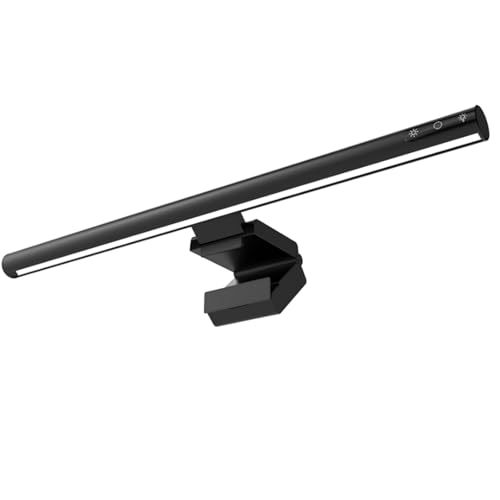
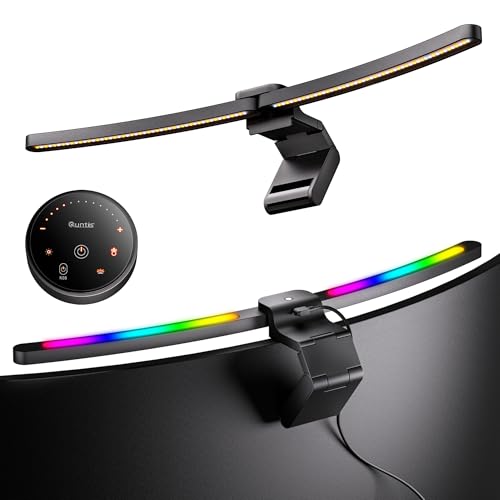
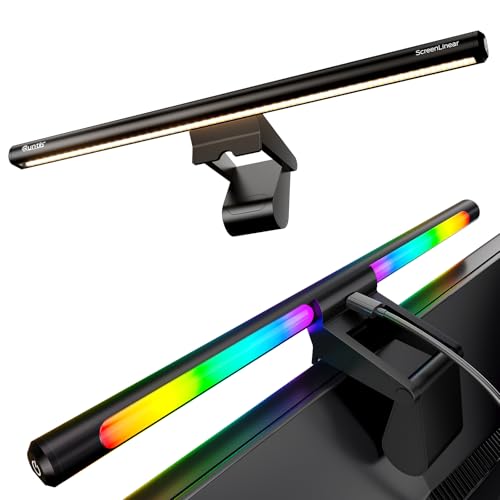
What the source states: 2-in-1 computer monitor lamp: This USB LED desk lamp has two lighting surfaces. The front can be used as a monitor light bar to protect your eyes while working and reduce fatigue. On the back there is also an RGB ambient light surface, which doubles as gaming decoration lighting or backlight and gives you an immersive experience when watching films, listening to music or playing.
Why this matters: With USB operation, where the power comes from counts: a connection on the computer often supplies less power than a dedicated power adaptor, which can affect brightness or start-up behaviour. Also check whether cable length and plug shape suit your setup.
Listing statement: Eye-friendly work lamp for the PC workstation
What the source states: Eye-friendly work lamp for the PC workstation: The 40cm long office lamp has 72 high-quality LEDs on the front and an asymmetric 45° design. This produces flicker-free and blue-light-free lighting that illuminates the keyboard and desk area evenly and protects the eyes. The colour rendering index of the desk lamp is 95, which helps the picture appear more vivid and realistic and reduces eye fatigue
Why it matters: This statement comes from the sales listing and should not be read as a medical effect. A reliable assessment would need measurement methods and limit values, which a shop listing often does not state in full.
Listing statement: Set colour temperature and brightness via touch buttons
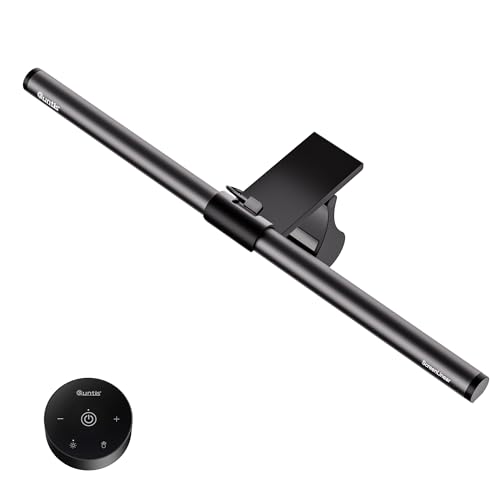
What the source states: Set colour temperature and brightness via touch buttons: The light bar has one touch button on each side. The button on the left controls the screen lamp: a short press switches the lamp on and changes between three colour temperatures (cool white / warm white / daylight white). Pressing quickly twice briefly lets you choose between three brightness levels (25%, 50%, 100%). A long press of the button switches the USB lamp off
Why it matters: Check how many ways of operating it there really are and whether each of them stays reachable at the planned spot. It is also important whether the device saves the last level chosen and whether an accidental touch changes a setting.
Listing statement: Set RGB background lighting via touch button
What the source states: Set RGB background lighting via touch button: The button on the right controls the ambient lighting: a short press switches the RGB atmosphere backlight on or changes between seven pure colours and eight mixed modes. A long press of the button switches the lighting off.
Why it matters: Check how many ways of operating it there really are and whether each of them stays reachable at the planned spot. It is also important whether the device saves the last level chosen and whether an accidental touch changes a setting.
Listing statement: Stable lamp for most monitors 1 to 3 cm thick
What the source states: Stable lamp for most monitors 1 to 3 cm thick: The lamp uses a spherical counterweight construction and is wrapped in a flexible electrostatic adhesive film at the contact surface with the screen, to prevent slipping, avoid scratching the computer and ensure more stable suspension. It is suitable for flat screens with a thickness of 1 to 3 cm. Unsuitable for curved monitors.
Why this matters: This point should be checked against the dimensions, instructions and existing installation before you buy. A listing can contain variants or shortened wording.
Use in daily life
On glossy monitors, tablets and coated paper, reflections stand out quickly. The angle of the light source is therefore decisive. A high lumen figure helps little if the lamp reflects directly in the display or on the work surface.
For this model, the purchase decision should therefore hinge on a concrete situation. Before buying, write a sentence such as: “I need light for …” and add place, time of day and activity. If the model does not clearly fulfil this task, an alternative from the same category is probably the better choice.
Anyone who switches between screen work, handwritten notes and craft work needs more range of adjustment than someone who works only at the monitor. The right design follows this movement, not a blanket ranking list.
Strengths and limits of the assessment
What speaks for the model
- Product image, ASIN and listing data are clearly linked to one another.
- The design can be matched to a specific lighting task: for the front desk area in front of a monitor.
- The available features allow a targeted check before buying, without inventing a star rating.
What remains open
- No long-term use of our own, no light measurement and no documented load check.
- Listing details can be abbreviated or change with variants and model updates.
- Room effect, glare and ease of use depend on your location and daily routine.
Many listings use terms such as eye-friendly or flicker-free without fully explaining the measurement method. Such statements are pointers, but not a medical assurance. Likewise, a long list of colour temperatures says nothing about whether the transitions or steps are pleasantly chosen.
What you should measure and check before buying
Measure the usable desk edge, the depth of the top and, for monitor lights, the thickness and shape of the top edge of the screen. Watch for webcams, sensors and curved backs. With an adjustable arm, enough space must remain so that it touches neither wall nor shelf.
- Define the task: Write down which surface or zone is to be lit and at what time of day you use it.
- Measure the space: Measure the frame thickness of your monitor at the top edge and the screen width, because the rest or clamp is designed only for a certain screen thickness and the bar has a fixed length. Also check the route to the USB port and whether a webcam sits on top. Product photos are no substitute for dimensions.
- Compare the light data: Check light output, colour temperature, dimming and, if needed, IP rating in the current listing or manual.
- Think through the controls: The switch, app, sensor or remote control must be reachable and understandable in daily use at the planned location.
- Check the variant: Colour, size and set contents can differ within one listing, and often the technical details in the description text with them. Compare the selected variant with this analysis.
If you are unsure how much light your room needs at all, work it out once: the lumens-to-watts chart turns wattage figures into actual brightness, and how many lumens per room you need depends on floor area and activity. More models in this area are covered in the overview of desk lamps, and the lighting calculator translates your room into a concrete target brightness.
Set-up, position and first check
The bar sits in the middle of the top edge of the screen; there is no choice between left and right with this design. What matters is therefore whether the mount (depending on the design, a rest with counterweight or a clamp) suits the frame thickness and the curvature of your monitor, and whether the housing leaves a webcam mounted on top clear. Then tilt the light head forward far enough that the beam lands on the keyboard and paper and not on the panel: light on the screen creates exactly the brightening this design is meant to avoid. Finally, check the lowest level in the dark, because that is where a monitor light bar spends most of its time.
After set-up, do not judge the light only in daylight. In the evening, switch the rest of the lighting as you normally use it, and check the situation from seated, standing and walking height. Only then do disturbing reflections, hard shadows or an unfavourable switch position become visible.
Keep the manual and model designation. This helps with spare parts, with a later query about the product and in a guarantee claim. Replacing the light source is not intended; at the end of its lifetime the whole device is replaced.
Comparison with similar models
The comparison does not name winners. It shows models of the same category so that you can see whether one of them is closer to your lighting task. If two models have the same task in the Assessment column, they do not differ in purpose but in design, dimensions and features. The column then states what is actually different according to the sources.
| Model | Brand | Assessment | Details |
|---|---|---|---|
| Quntis monitor light bar 40 cm with RGB backlight and touch control | Quntis | for the front desk area in front of a monitor | This review |
| Anpro monitor light bar with touch panel and 3 colour temperatures, grey | Anpro | for the front desk area in front of a monitor | Read review |
| Quntis Curved Monitor Light Bar IM 66 cm | Quntis | for task lighting and coloured backlight on large curved monitors | Read review |
Our buying decision
Quntis monitor light bar 40 cm with RGB backlight and touch makes sense if you are looking for a light for the front desk area in front of a monitor, have checked the dimensions at the intended spot and will actually use the functions named in the listing. The purchase is less convincing if you expect a universal solution for several conflicting lighting tasks.
Keep looking if key data such as dimensions, light output, IP rating or compatibility is not clearly documented for your intended use. The same applies if you only like the look of the design, but the cable, the floor space or the controls would get in your way in daily use.
We deliberately award no stars. A numerical score would suggest a measurement accuracy that does not exist without documented hands-on testing. The statement this page can support is narrower: which details are available, what the model may be suited for, and which questions remain open before you buy?
Frequently asked questions about the desk lamp
Is a monitor light bar better than a desk lamp?
Not necessarily. It saves space and suits screen work well, but is less flexible for paper, drawings or changing working positions.
How do I avoid reflections on the screen?
Aim the light steeply enough at the desk surface and check the screen from your normal seating position. The light source should not be reflected as a bright spot in the display.
Do I need different colour temperatures?
Different colour temperatures can be handy, but a usable brightness, even illumination and a position without glare matter more. First check whether these basics are met at your own workspace.
Will the light stay on the edge of my screen?
Depending on the design, monitor lights rest on the top edge with a counterweight or sit on a clamp; which design applies is stated in the listing. What matters is therefore a sufficiently straight top edge, the permitted screen thickness and whether a webcam is in the way.
Sources and currency
The sources are ranked by their closeness to the product: manufacturer documents come before retailer or comparison data. A shop listing is useful for the variant currently on offer, but it is not an independent check. Missing documents are not replaced with invented experiences.
- Quntis: product page Monitor Light Bar IM 40 cm in black (German)
- Quntis: manual page with data sheet for the Monitor Light Bar IM 40 cm, model LI-HY-0201-BK
- Quntis: overview of lights with RGB backlighting
- Quntis: page on certificates and quality
- Amazon product listing B0C5XPJBFB; product data via the Creators API, retrieved 24 July 2026 Advertisement
Content checked on 28 July 2026. Prices, availability and product variants can change independently of this page. For a final check, always use the current retailer listing and any available manufacturer documents.
If a linked source is no longer reachable, or the model on offer visibly differs from the product image and designation, this analysis is no longer the right basis for a decision. In that case the current model number is what counts. Tell us about the difference via the contact page (in German), so that the data, the link and the recommendation can be checked.